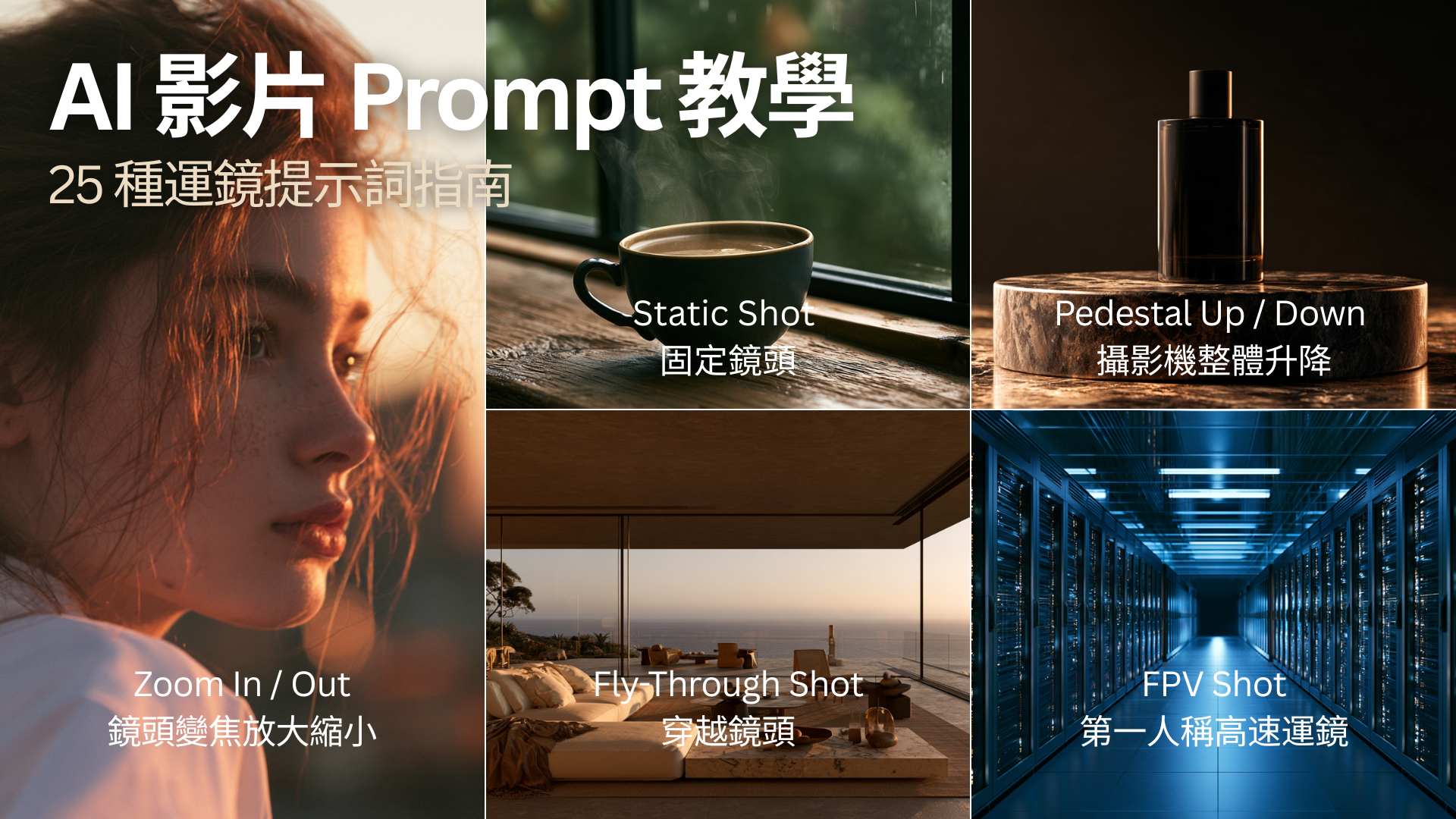
隨著 AI 影片生成技術快速發展,使用者已經不只是描述「畫面裡有什麼」,還可以進一步控制攝影機如何移動、角色如何進入畫面,以及整體影片呈現什麼樣的電影感。
在撰寫 AI Video Prompt 時,除了主體、場景、光線、風格之外,Camera Movement(運鏡)往往是決定影片是否自然、專業,以及是否具有電影感的重要因素。
例如,同樣是一名人物走在城市街道上的畫面:
- 靜態鏡頭會呈現紀錄片或攝影感。
- Tracking Shot 可以讓攝影機跟著人物移動。
- Dolly In 可以慢慢接近人物,營造情緒與戲劇張力。
- Orbit Shot 則能環繞人物,產生更具電影感的視覺效果。
因此,學會運鏡描述,是提升 AI 影片生成品質非常重要的一步。
AI Video Prompt 的基本結構
一個較完整的 AI 影片 Prompt,可以拆成以下幾個元素:
主體 + 動作 + 場景 + 鏡頭 + 光線 + 視覺風格 + 氛圍
例如:
其中『the camera slowly tracks alongside her』,就是控制影片動態的重要 Camera Movement 描述。
常見 AI 影片運鏡 Camera Movement
1. Static Shot|固定鏡頭

Static Shot 指的是攝影機保持固定,不進行移動。
適合:人物訪談、
產品展示、
建築畫面、
極簡風影片、
環境氣氛鏡頭。
也可以加入『locked-off camera』,表示攝影機完全固定。
適合情境:
如果 AI 影片出現太多不必要的鏡頭漂移,可以使用:
- static camera
- locked camera
- no camera movement
來降低攝影機的隨機移動。
2. Pan Left / Pan Right|水平搖鏡
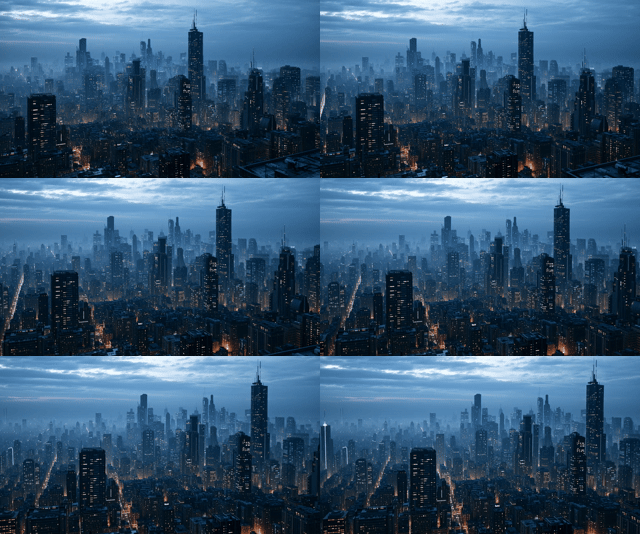
Pan 是攝影機位置不變,但鏡頭水平旋轉。可以想像攝影機架在腳架上,攝影師將鏡頭由左轉到右。
常見 Prompt: 『camera pans left』 或 『slow pan to the right』
這類鏡頭非常適合: 風景、 城市景觀、 室內空間、 建築、 大型場景展示。
3. Tilt Up / Tilt Down|上下搖鏡
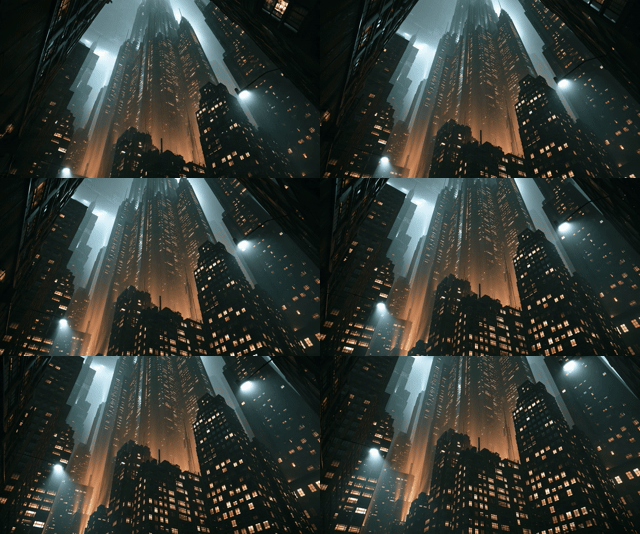
Tilt 與 Pan 類似,但方向是垂直移動。
Tilt Up:鏡頭由下往上。
很適合表現:
高樓、
巨型機器、
山峰、
巨型人物、
宏偉建築。
Tilt Down:則是從上往下。
常用於建立場景位置。
4. Dolly In|攝影機向前推進
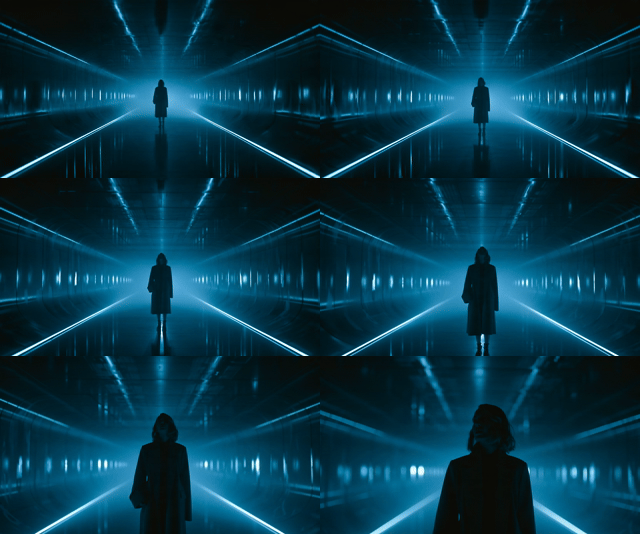
Dolly In 是電影中非常常見的鏡頭。 攝影機本身會逐漸靠近主體。
Prompt:『slow dolly in』或 『camera slowly moves forward toward the subject』。如果想強調電影感,可以使用:『slow cinematic dolly in』。
這類鏡頭容易營造: 緊張感、 戲劇性、 情緒變化、 神秘感。
5. Dolly Out|攝影機向後拉遠
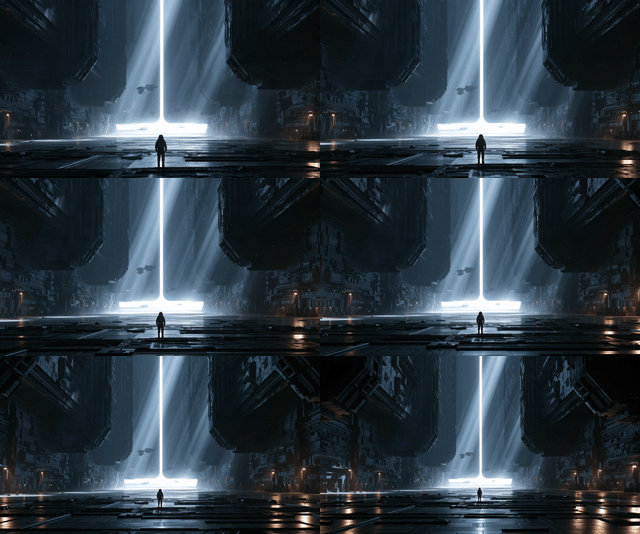
Dolly Out 與 Dolly In 相反。攝影機逐漸遠離人物或物體。
Prompt:『slow dolly out』。
這種鏡頭常用來產生: 孤獨感、 空間感、 場景揭露、 電影結尾感。
6. Push In|推近鏡頭
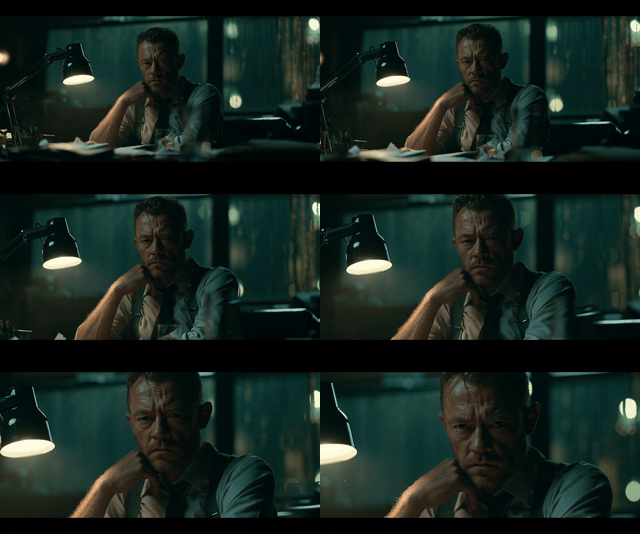
Push In 與 Dolly In 非常接近,在 AI Video Prompt 中通常可以視為類似概念。
Prompt:『slow push in toward the character』。
Push In 常被用於強調: 人物表情、 關鍵物件、 故事的重要瞬間。
7. Pull Back|拉遠鏡頭
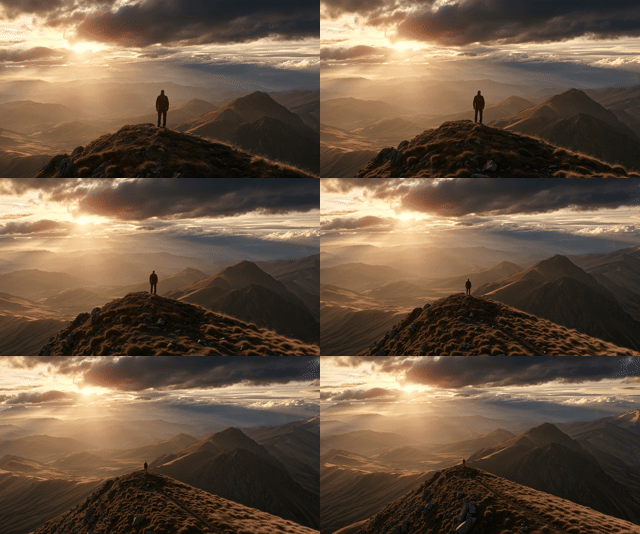
Pull Back 是逐漸離開主體並揭露環境。
非常適合用在: 城市、 科幻世界、 建築、 自然景觀。 尤其適合作為 Reveal Shot。
8. Tracking Shot|跟拍鏡頭
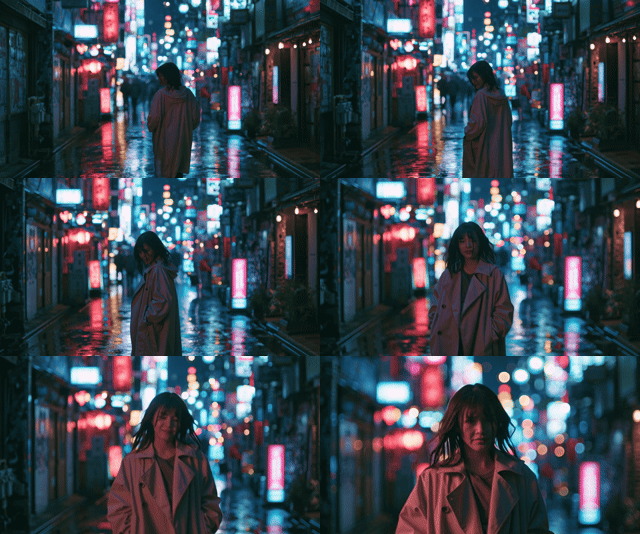
Tracking Shot 指攝影機跟著人物或物體一起移動。
常見方式包括:
Side Tracking 攝影機從側面跟隨:side tracking shot
Front Tracking 攝影機在人物前方倒退:front tracking shot
Rear Tracking 攝影機從背後跟拍:tracking shot from behind
Tracking Shot 特別適合: 人物走路、 跑步、 汽車、 自行車、 動物、 運動場景。
9. Follow Shot|跟隨鏡頭
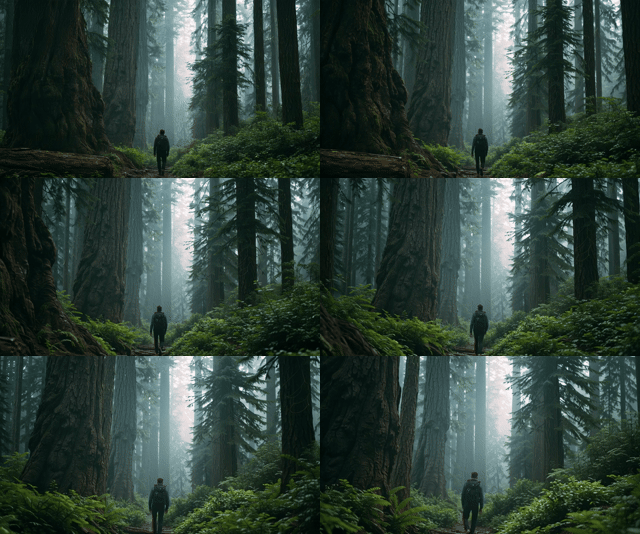
Follow Shot 與 Tracking Shot 類似。
這種描述方式對 AI 影片模型通常非常直覺。
10. Orbit Shot|環繞鏡頭
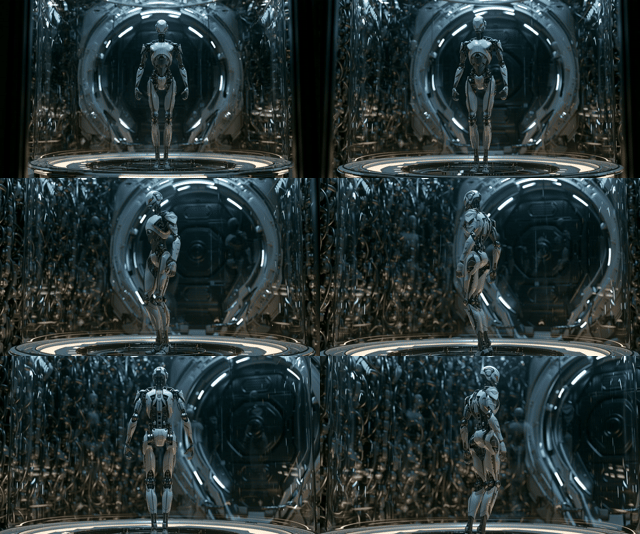
Orbit Shot 是非常受 AI 影片創作者歡迎的運鏡。 攝影機會圍繞人物或物件旋轉。
Prompt:『camera slowly orbits around the subject』。
也可以指定:『180-degree orbit』
或:『360-degree orbit』。
例如:
『Smooth 360-degree orbit around the product.』。
非常適合:
汽車、
產品、
人物、
機器人、
建築、
科幻場景。
11. Arc Shot|弧形運鏡
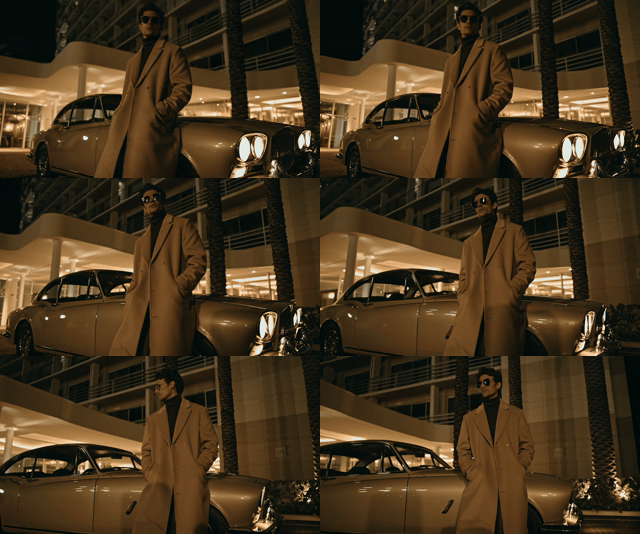
Arc Shot 與 Orbit 類似,但通常不是完整繞一圈。
Arc Shot 可以創造更自然的電影效果。
適合:
人物對話、
情緒畫面、
產品展示、
電影場景。
12. Crane Shot|升降攝影機
Crane Shot 是攝影機垂直升高或下降,同時可能向前移動。例如:『The camera cranes upward above the crowd.』 或:『slow crane shot rising above the city street』。
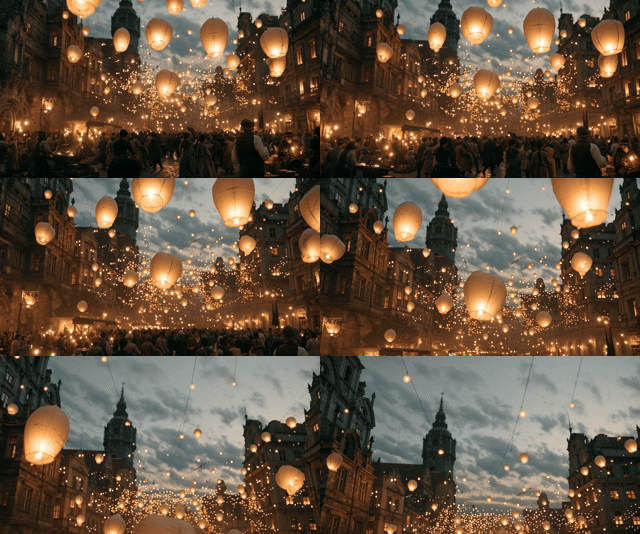
常用於: 大型活動、 城市、 戰場、 人群、 電影開場。
13. Jib Shot|搖臂攝影
Jib Shot 與 Crane Shot 類似,但通常移動幅度比較小。例如:『Smooth jib shot rising above the table.』。
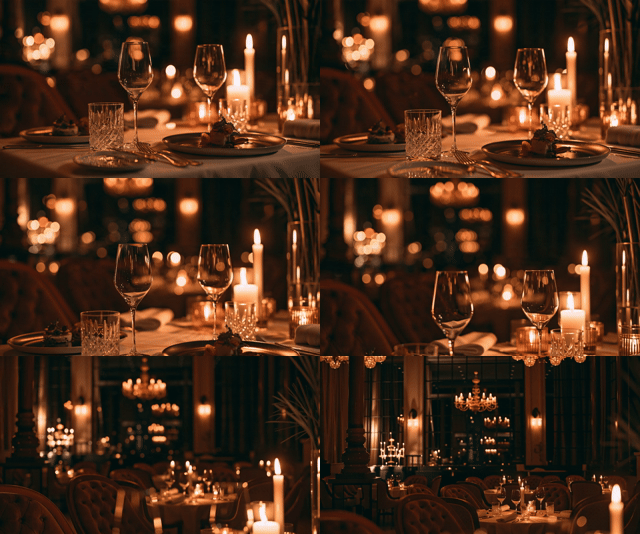
特別適合: 餐廳、 展示空間、 產品影片、 室內影片。
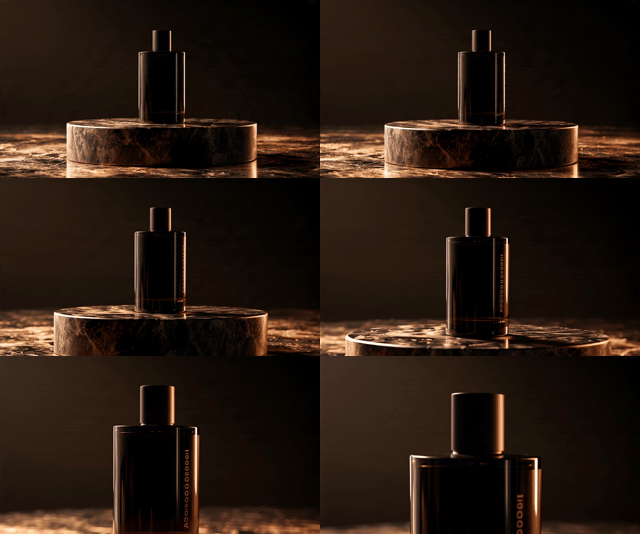
14. Pedestal Up / Down|攝影機整體升降
Pedestal 與 Tilt 不同。
Tilt 是攝影機原地轉動。
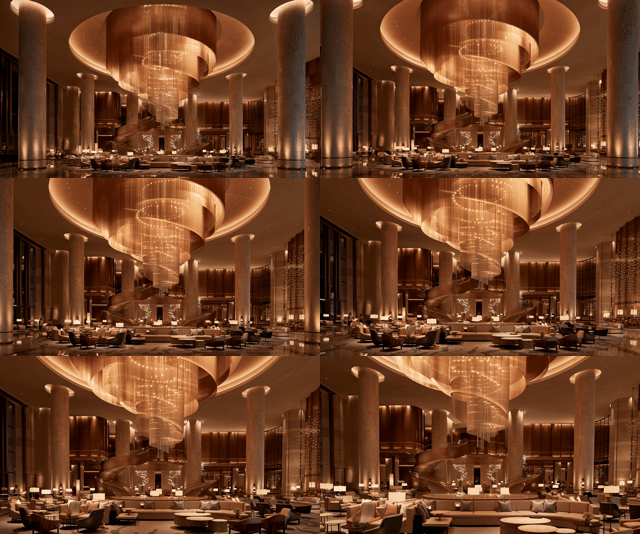
Pedestal 則是整台攝影機向上或向下移動。例如:『The camera slowly rises upward.』或:『camera descends smoothly』。
這種寫法在 AI Video Prompt 中通常比直接使用「Pedestal」更容易理解。
Pedestal Up:
Pedestal Down:
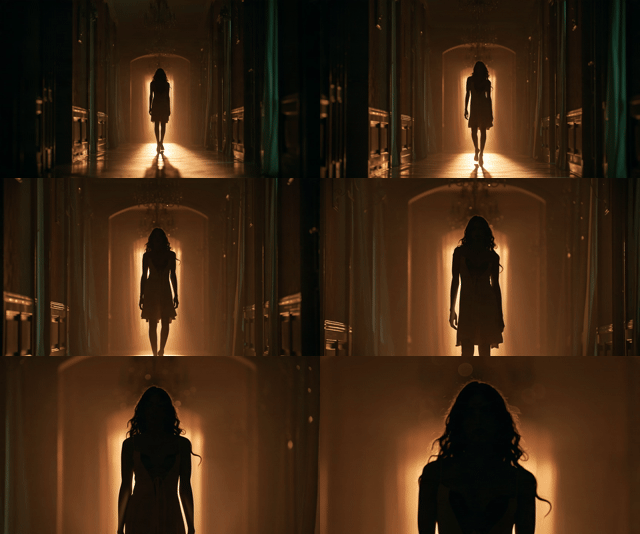
15. Zoom In|鏡頭變焦放大
Zoom In 並不是攝影機移動,而是鏡頭焦距改變。例如:『
Slow zoom in on the character's eyes.』。
Zoom 可以產生較明顯的視覺聚焦效果。
16. Zoom Out|鏡頭縮小
例如:『Slow zoom out revealing the entire landscape.』。
常用於:
場景揭露、
電影 Ending Shot、
大型景觀。
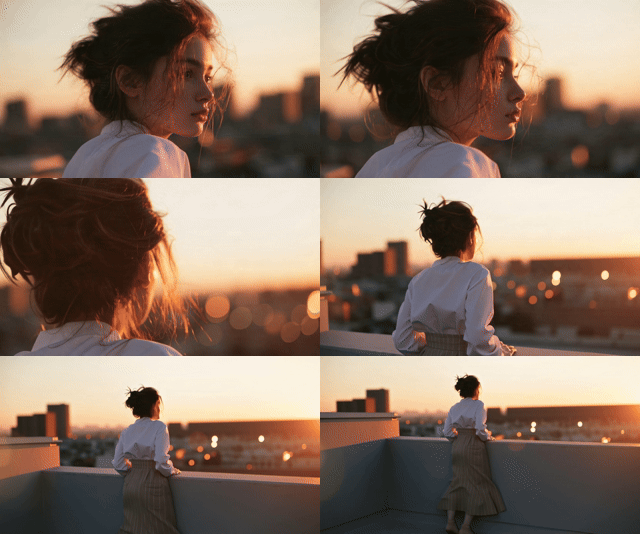
Dolly、Zoom、Push In 到底差在哪?
這三個最常被搞混。
Dolly In:攝影機真的往前移動,畫面的空間透視會改變,電影感最強。 Zoom In:攝影機位置不動,只是鏡頭焦距改變,畫面像被放大。 Push In:概念比較通用,在 AI 影片裡通常可以理解成「攝影機逐漸靠近主體」,介於前兩者之間。
想要電影感,優先用 slow dolly in;只是想聚焦某個細節,用 slow zoom in 就夠了。
17. Handheld Camera|手持攝影
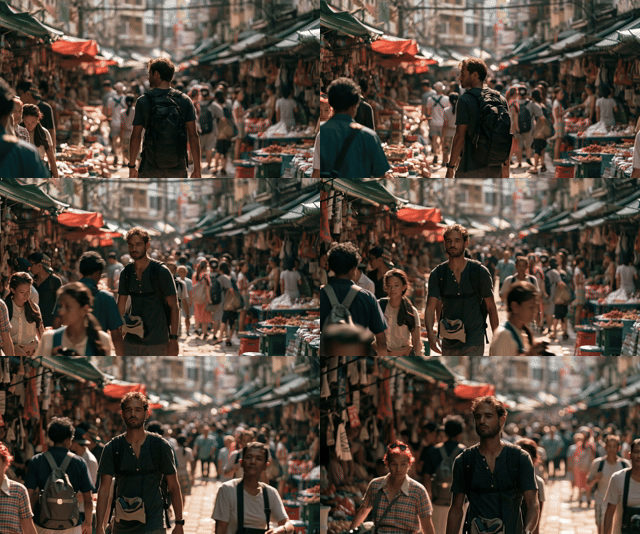
Handheld Camera 可以產生輕微晃動。例如:『
Handheld camera following a journalist walking through a crowded street.』。也可以進一步描述:『subtle handheld camera shake』,只有輕微晃動。
常見於:
紀錄片、
戰爭電影、
新聞、
Action Scene、
街頭影片。
18. Steadicam Shot|穩定跟拍
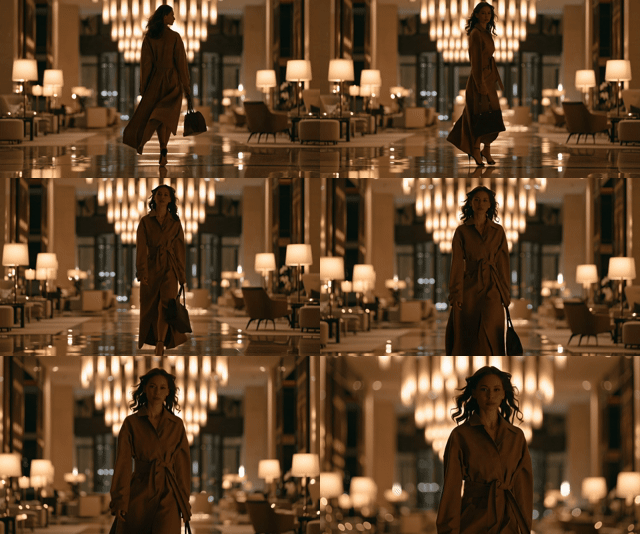
Steadicam 可以理解為非常平滑的人物跟拍。Prompt:『smooth steadicam tracking shot』。
例如:『A smooth steadicam shot following a woman walking through a luxury hotel lobby.』。
適合:
電影、
飯店、
房地產、
時尚影片、
品牌形象影片。
19. FPV Shot|第一人稱高速運鏡
FPV 原本常見於 FPV Drone。AI 影片中則經常被用來製作快速穿越空間的影片。
Prompt:『fast FPV camera movement』。例如:『Fast FPV camera flying through a futuristic factory.』。
可以製作出:
工廠穿越、
城市穿越、
森林穿越、
建築穿越、
科幻世界穿越。

20. Drone Shot|空拍鏡頭
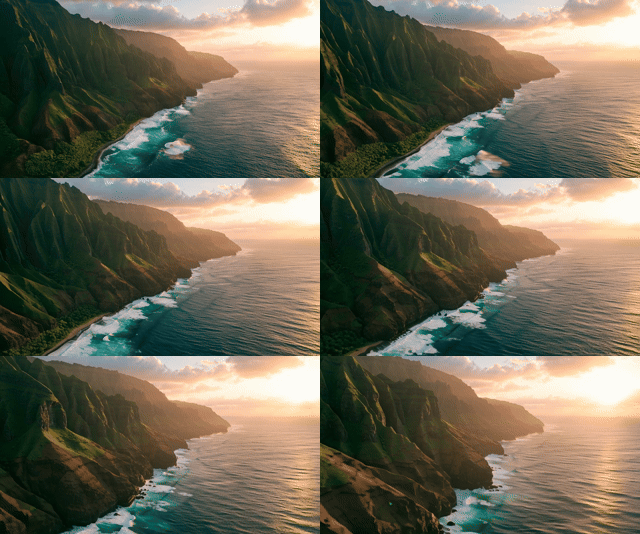
Drone Shot 特別適合自然與城市影片。例如:『cinematic drone shot flying above the coastline』。
常見描述:『aerial drone shot』、drone flyover』、drone tracking shot』、drone descending toward the city』。例如:『Cinematic aerial drone shot flying over a tropical island at sunrise.』。
21. Fly-Through Shot|穿越鏡頭
Fly-through 常被用於 AI 建築影片。例如:『The camera flies through the futuristic city.』,或:『Smooth cinematic fly-through inside a modern luxury house.』。非常適合: Architecture、 房地產、 Data Center、 工廠、 科幻城市、 3D 場景。
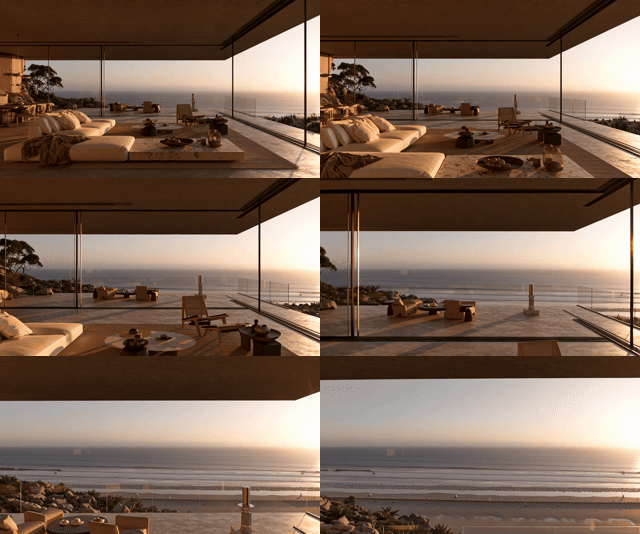
22. Reveal Shot|場景揭露
Reveal Shot 指的是一開始遮住主要畫面,接著透過鏡頭移動揭露主體。例如:『The camera moves past a wall, revealing a futuristic city.』,或:『Slow cinematic reveal of the mountain landscape.』。這種運鏡可以增加故事感。
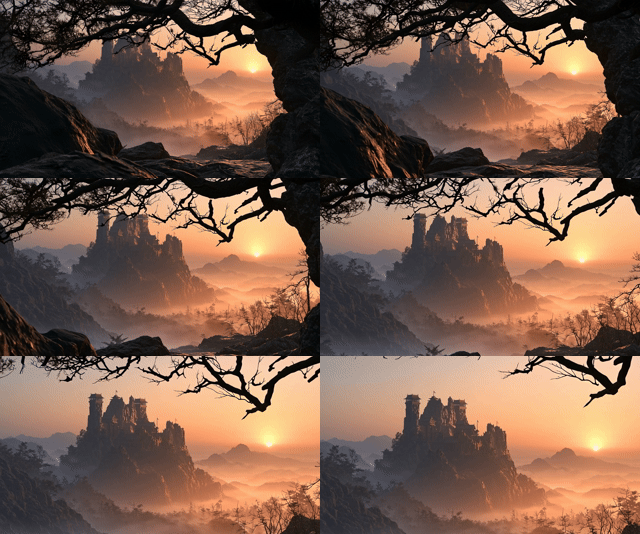
23. Rack Focus|焦點轉移
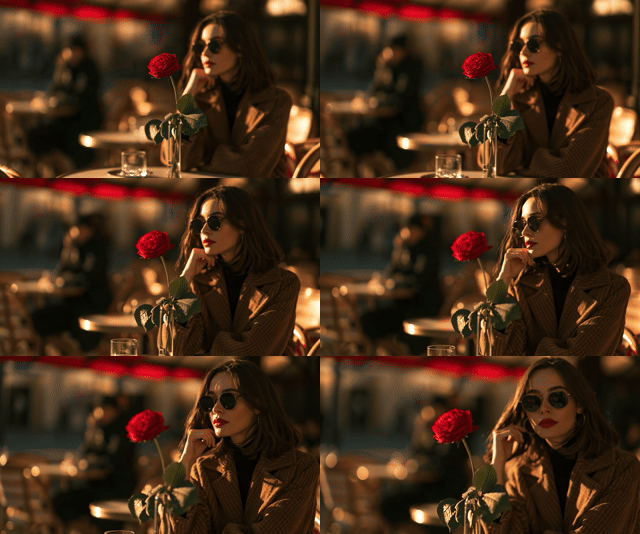
Rack Focus 不是鏡頭移動,而是「焦點移動」。
例如:
『前景是一朵花,背景站著一個人。』
Prompt:『rack focus from the flower in the foreground to the woman in the background』。
這類效果非常具有電影感。
24. Whip Pan|快速甩鏡
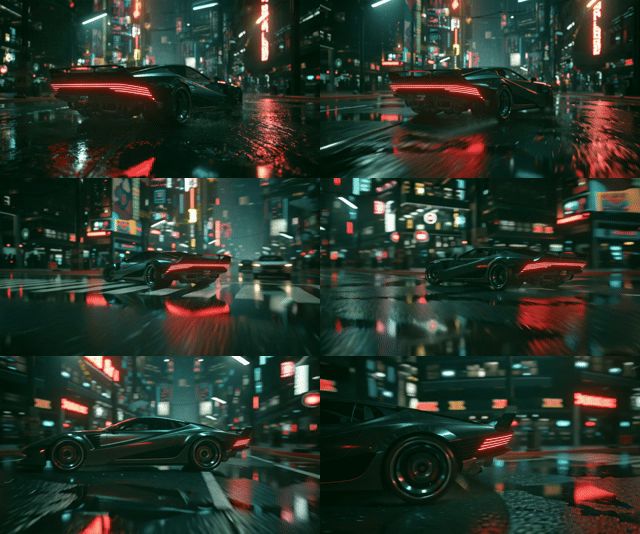
Whip Pan 是非常快速的水平移動。
Prompt:『fast whip pan to the right』。
常見於:
Action Video、
Transition、
廣告、
音樂影片。
也可以作為場景轉場:『whip pan transition』。
25. Dutch Angle|傾斜鏡頭
Dutch Angle 是讓水平線傾斜。
Prompt:『Dutch angle shot』。
適合:
恐怖、
科幻、
心理驚悚、
緊張場景。
例如:『Slow dolly in with a subtle Dutch angle.』。
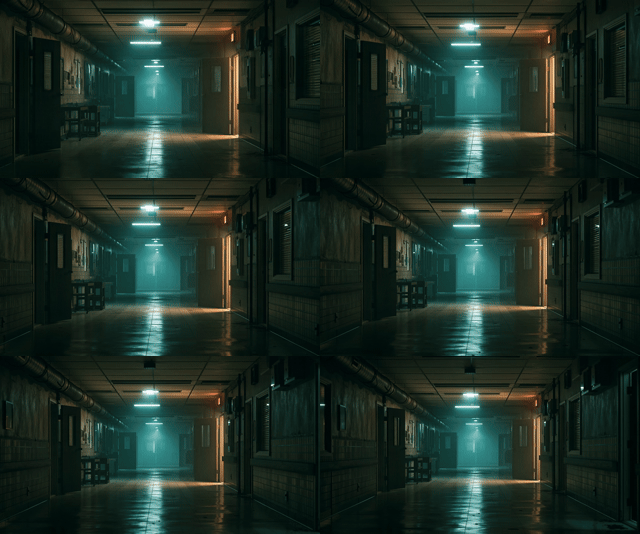
想讓運鏡更穩、更有電影感?加這幾個字
單純寫「camera moves」其實不夠,AI 不知道要多快、多穩。可以加入這些關鍵字:
『slow、smooth、gentle、stable、controlled、cinematic camera movement』。
例如:『The camera slowly and smoothly tracks alongside the character.』。
會比單純的「camera follows character」穩定許多,這也是很多人明明用同一個工具,出來的畫面質感卻天差地遠的原因。
千萬別一次加入太多運鏡
寫 Prompt 常犯的錯,就是想把所有運鏡一次塞進去,例如:『dolly in, pan right, orbit around, tilt up, zoom in』。
看起來很豐富,但 AI 通常無法判斷到底該先做哪一個,結果就是畫面變形、主體漂移、背景扭曲。
比較穩定的做法是:1 個主要運鏡 + 最多 1 個輔助運動。例如:『slow dolly in with a subtle pan to the right』,
或:『tracking shot with a gentle upward tilt』,這樣模型才有辦法穩定地執行。
用 Midjourney 做 AI 影片,運鏡要分兩階段想
前面談的都是「一句話寫完整個畫面」的思路,但如果你用的是 Midjourney,會發現它其實是把流程拆成兩個步驟:先生成一張圖,再把這張圖變成影片。搞懂這個分工,運鏡會寫得更準。
第一階段:生成 Image
這一步只負責決定「畫面看起來是什麼樣子」:主體是誰、場景在哪裡、攝影機的角度與構圖、光線與整體風格。這個階段完全不用描述運鏡,因為一張靜態圖片本身沒有時間軸,寫了也沒有意義。
第二階段:把圖片變成影片(Animate Image)
把剛剛生成好的圖片當作「起始畫面」,接著才描述接下來會發生什麼事,重點通常是三件事:主體怎麼動、攝影機怎麼動、動作的速度快慢。
這種「先建立畫面,再描述動態」的分工,通常會比一次把場景描述和運鏡指令全部塞進同一段話更清楚,AI 也比較不容易搞混。
兩個階段各有自己的公式
Image Prompt,也就是第一階段,可以照著這個順序想:主體、環境、攝影機角度、構圖、光線、鏡頭與攝影風格、氛圍。這一步的任務就是把「第一幀畫面長什麼樣」講清楚。
Video Prompt,也就是第二階段,則換成這個順序:主體的動作、攝影機的運鏡方式、方向、速度、主體在畫面中的位置變化、場景裡其他元素的自然動態。這一步的任務是說明「畫面開始之後會發生什麼事」。
簡單記就是一句話:Image Prompt 決定畫面長怎樣,Video Prompt 決定畫面接下來怎麼動。這篇前面介紹的 25 種運鏡,其實都可以直接套進「Video Prompt」這一步使用。
Motion 要選 Low 還是 High?
Midjourney 的影片功能可以指定動作幅度的強弱,這個選擇其實跟你用哪一種運鏡有關。
比較適合搭配「低動作幅度」的情境,包括:慢慢推近的 Dolly In、產品環繞、固定鏡頭、緩慢的場景揭露、建築類影片,或是任何只需要主體做出微小動作、特別講求穩定度的畫面。
比較適合搭配「高動作幅度」的情境,包括:跟拍鏡頭、汽車類影片、空拍、高速穿越鏡頭、大幅度的環繞運鏡,以及人物奔跑這類主體本身移動幅度較大的畫面。高動作幅度雖然能做出更明顯的攝影機與主體動態,但如果場景本身比較複雜,出現變形或不自然動作的機率也會跟著提高。
想讓運鏡更聽話,可以加上「Raw」
如果希望最後產生的攝影機運動更貼近你寫的文字描述,而不是被系統自動加上太多創意處理,可以在 Video Prompt 加上一個「原始模式」的參數。開啟之後,像是慢慢推進、攝影機跟在人物身後、攝影機繞著產品旋轉這類明確的運鏡指令,通常會更準確地被執行出來。
一個容易忽略但很重要的觀念
很多人會把 Image Prompt 和 Video Prompt 寫成幾乎一樣的內容,這其實是最常見的誤區之一。比較好的做法是把兩者的任務分清楚:Image Prompt 回答「這顆鏡頭看起來是什麼樣子」,Video Prompt 回答「這顆鏡頭開始之後發生了什麼事」。把這兩個問題分開處理,運鏡通常會穩定許多,也比較不容易出現主體變形或攝影機亂飄的狀況。
結論:把自己當成導演,不要只當文字工程師
寫 AI Video Prompt 的核心,從來不是堆疊華麗的形容詞,而是清楚回答幾個問題:主角是誰、主角在做什麼、攝影機在哪裡、往哪裡移動、移動速度多快、用什麼鏡頭。
先熟悉 Static、Pan、Dolly、Tracking、Orbit、Drone 這幾種最常用的運鏡,再慢慢加入焦段、景深、光線與構圖,你會發現同一支 AI 影片工具,出來的成品質感完全不一樣。
下次寫 Prompt 之前,不妨先問自己:如果我是站在攝影機後面的那個人,我會怎麼拍這個畫面?
常見問題 FAQ
Q1:AI Video Prompt 一定要寫 Camera Movement 運鏡嗎?
不一定,但差別很明顯。如果只描述人物和場景,模型會自己猜運鏡,結果通常是不必要的推近、拉遠或漂移。想控制影片構圖的話,至少加一個 Camera Movement 描述會穩定很多。
Q2:剛開始學,應該先學哪幾種運鏡就好?
先掌握這七種:Static Shot、Pan、Dolly In、Dolly Out、Tracking Shot、Orbit Shot、Drone Shot。這幾種已經能涵蓋人物、產品、汽車、旅遊、建築等大部分需求,其他運鏡等有需要再學也不遲。
Q3:一個 Prompt 可以同時用幾種 Camera Movement 運鏡?
建議一顆短鏡頭用「1 個主要運鏡」就好,最多再搭配「1 個輕微輔助運動」,例如 slow dolly in with a subtle pan right。一次塞太多方向的運鏡,AI 反而不知道該先執行哪一個,容易造成畫面變形。
Q4:怎麼讓 AI 影片看起來更有電影感?
除了運鏡本身,可以再加上 cinematic lighting、35mm lens、shallow depth of field、natural motion blur、film look 這類描述。例如:「Slow cinematic dolly in, 35mm lens, shallow depth of field, dramatic lighting, realistic film look.」
Q5:為什麼 AI 影片會自己亂動鏡頭?
通常是因為 Prompt 沒有清楚定義攝影機行為,模型只好自己推測。這時候可以加入 locked-off camera、fixed camera position、no camera movement 來降低隨機性。
Q6:Orbit Shot 適合拍什麼?
產品、汽車、人物、機器人、雕塑這類「有明確中心主體」的畫面特別適合,例如:「Slow 180-degree cinematic orbit around the futuristic sports car.」
Q7:拍建築類的 AI 影片,適合用哪些運鏡?
常見選擇是 Drone Shot、Dolly In、Fly-through、Crane Shot 和 Reveal Shot,這幾種可以有效表現建築外觀、空間感與室內動線。
Q8:產品廣告類的 AI 影片呢?
最常用 Orbit Shot、Push In、Dolly In、Macro Push-in 和 Static Shot,其中 Orbit Shot 特別適合展示產品外型與細節。
Q9:Prompt 應該寫 Camera Movement 還是 Camera Angle?
兩個都寫比較保險。Camera Angle 講的是攝影機「在哪裡」,例如 low-angle shot;Camera Movement 講的是攝影機「怎麼動」,例如 slow tracking shot。組合起來會比只寫一項更精確:「Low-angle tracking shot moving alongside the sports car.」
Q10:Prompt 要用英文還是中文寫?
兩種都可以,但像 dolly in、tracking shot、orbit shot、rack focus、shallow depth of field 這類攝影術語本來就是英文,就算主要用中文描述,保留這些英文術語通常能讓運鏡指令更精確。